Cloning virtual machines means duplicating a preinstalled and configured virtual machines very easily without re installing OS and other programs to create multiple similar virtual machines in a very short time.
VMware workstation and VMware Server have options to create a cloned Virtual Machine.
But Oracle VirtualBox cloning is different which involved two steps are:
Step1:Clone the hard disk from an existing virtual machine
Step2:Create a new virtual machine similar to the original one with the cloned Hard disk.
Step1:Clone the hard disk from an existing virtual machine
Use the VBoxManage commands to clone the hard disk as follow
C:\Program Files\Oracle\VirtualBox> VBoxManage clonehd Solaris_10_u8.vmdk newsolaris.vmdk
where:
Solaris_10_u8.vmdk: is the original Hard Disk will be cloned.
newsolaris.vmdk: is the cloned Hard Disk.
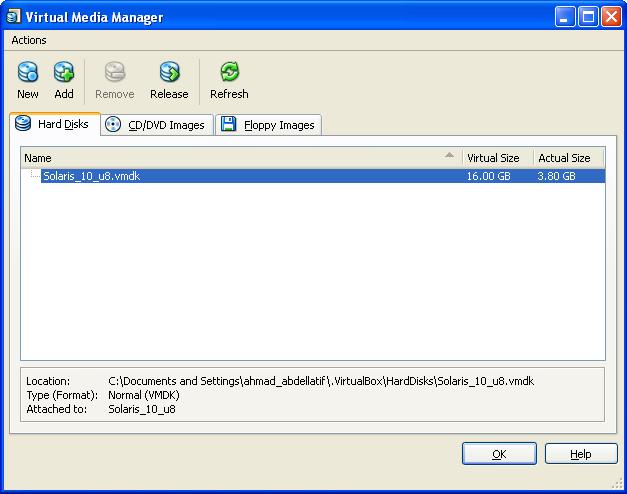 |
| Virtual Media Manager Before Cloning The Hard Disk |
 |
| Cloning The Hard Disk |
 |
| Virtual Media Manager After Cloning The Hard Disk |
Step2:Create a new virtual machine similar to the original one with the cloned Hard disk.
Now,using the Create new virtual machine wizard create a new virtual machine with the same hardware as the source one and add the newly cloned hard disk to this new virtual machine.


